case-study
OpenClaw GMI Cloud Plugin: Use GMI Models Directly Inside OpenClaw
April 10, 2026
OpenClaw users can now access GMI models directly inside the OpenClaw interface with the new GMI Cloud plugin.
This integration makes it easier to connect OpenClaw projects to GMI model access without adding extra complexity to your setup. Once installed and configured, GMI appears as a provider inside the UI, allowing you to select supported models and use them in your workflows and integrations.
For teams building agents, automations, or tool connected workflows, this creates a simpler path to bring GMI model access into the OpenClaw environment.
What the GMI Cloud plugin does
The GMI Cloud plugin adds GMI as a provider inside OpenClaw. After setup, you can use GMI hosted models directly from the OpenClaw interface and work with them inside your existing flows.
That means you can move from installation to model selection quickly, while keeping the experience inside the OpenClaw environment.
This release is part of a broader effort to make GMI Cloud available across more tools, skills, and agent ecosystems.
Get started
To get started, visit the plugin page on ClawHub:
https://clawhub.ai/plugins/openclaw-gmicloud-provider
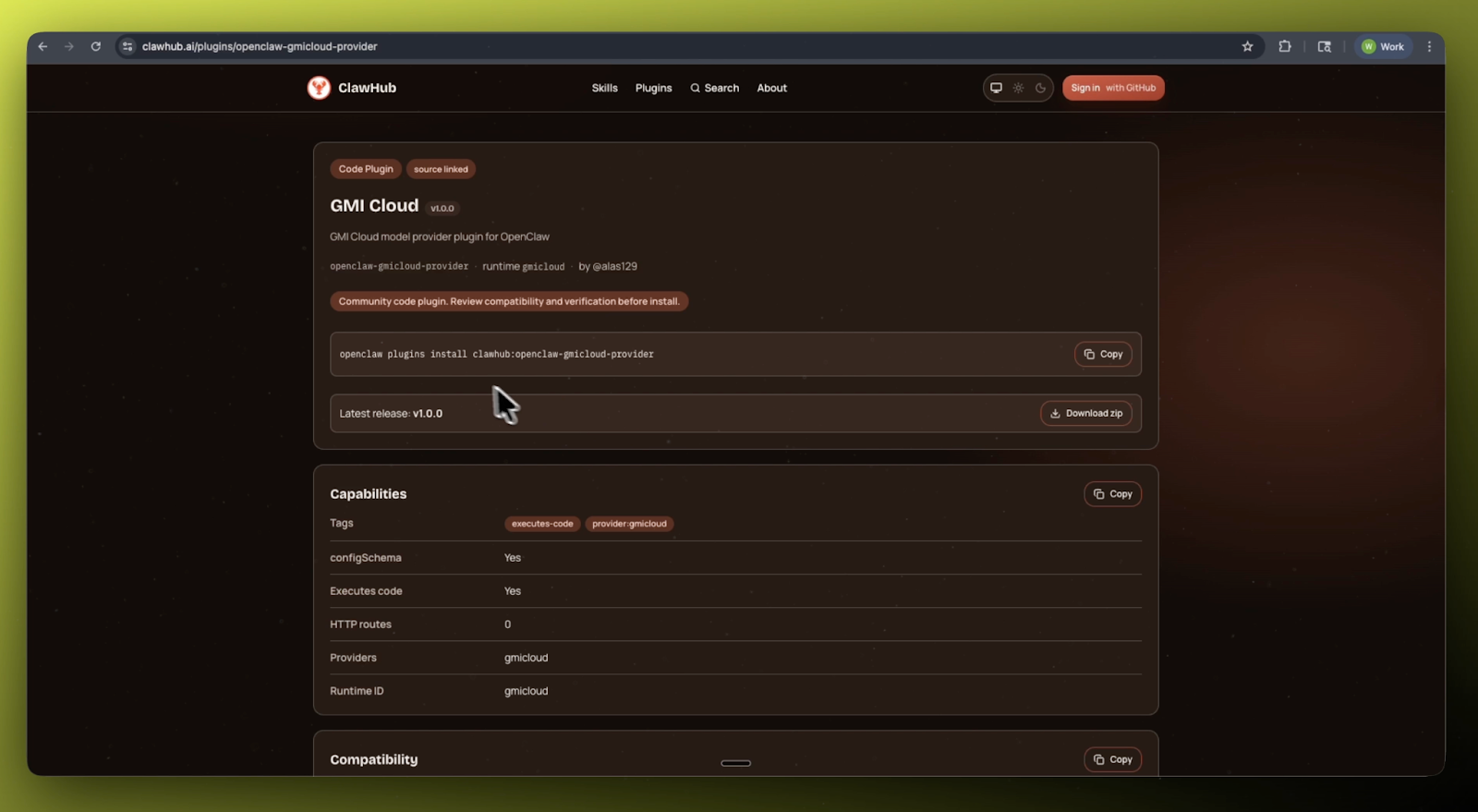
Or install it directly in your terminal with:
openclaw plugins install clawhub:openclaw-gmicloud-provider
How to Get Your GMI API Key
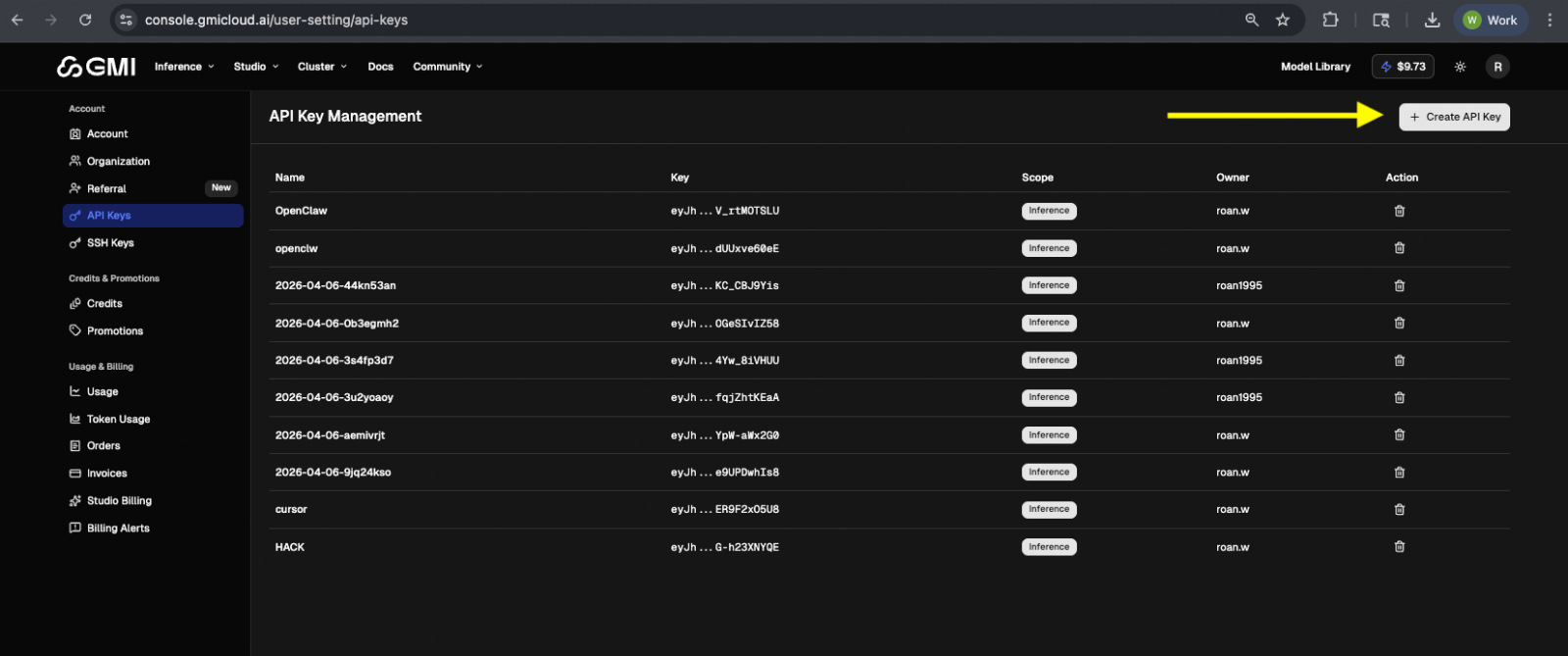
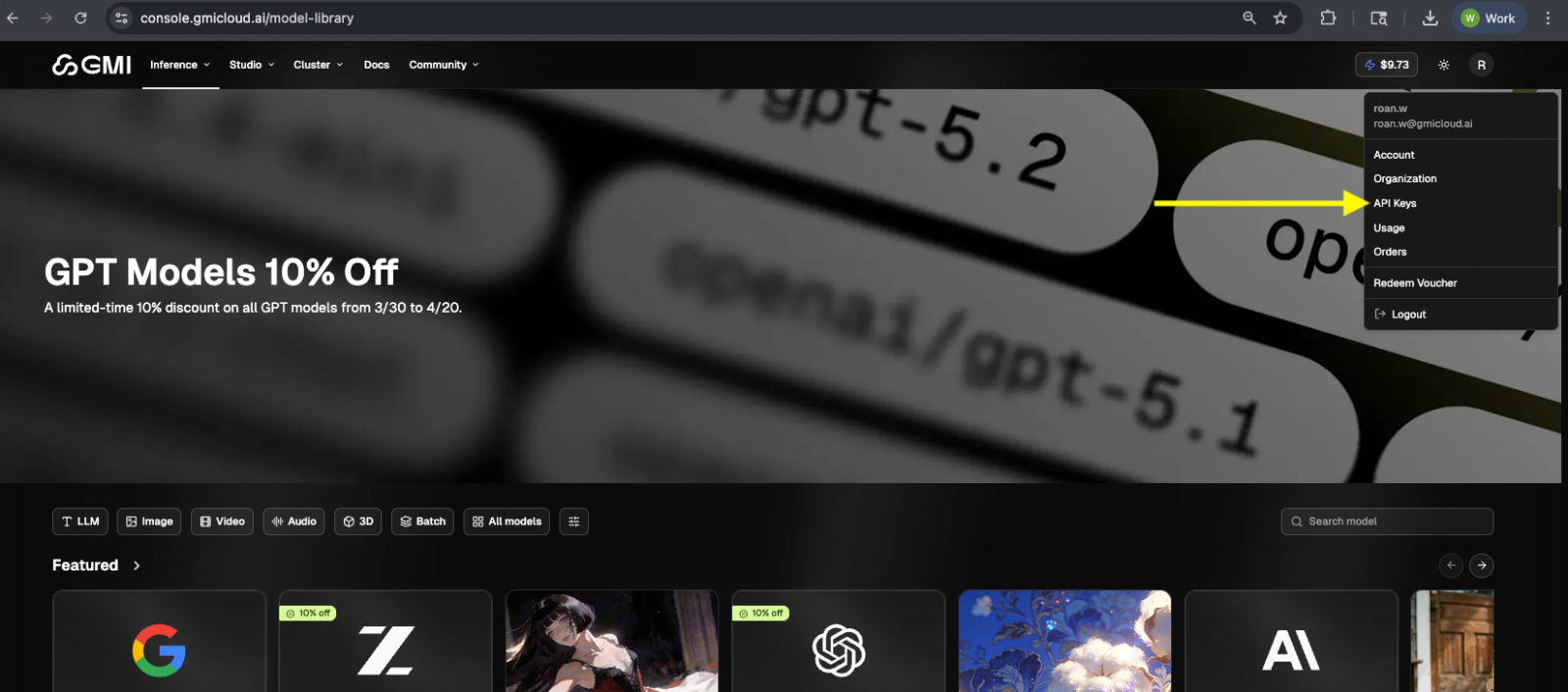
To connect OpenClaw to GMI Cloud, first create an API key in the GMI Cloud Console. Sign in at console.gmicloud.ai, go to API Key, and click Create API Key. Once the key is generated, copy it and save it securely, since this is the credential you will use to configure the plugin through an environment variable or the onboarding flow. After that, your OpenClaw setup will be ready to use GMI models directly inside the interface.
Configure the plugin
You can configure the provider with an environment variable:
export GMI_CLOUD_API_KEY=your_api_key
Or onboard directly with:
openclaw onboard --gmicloud-api-key your_api_key
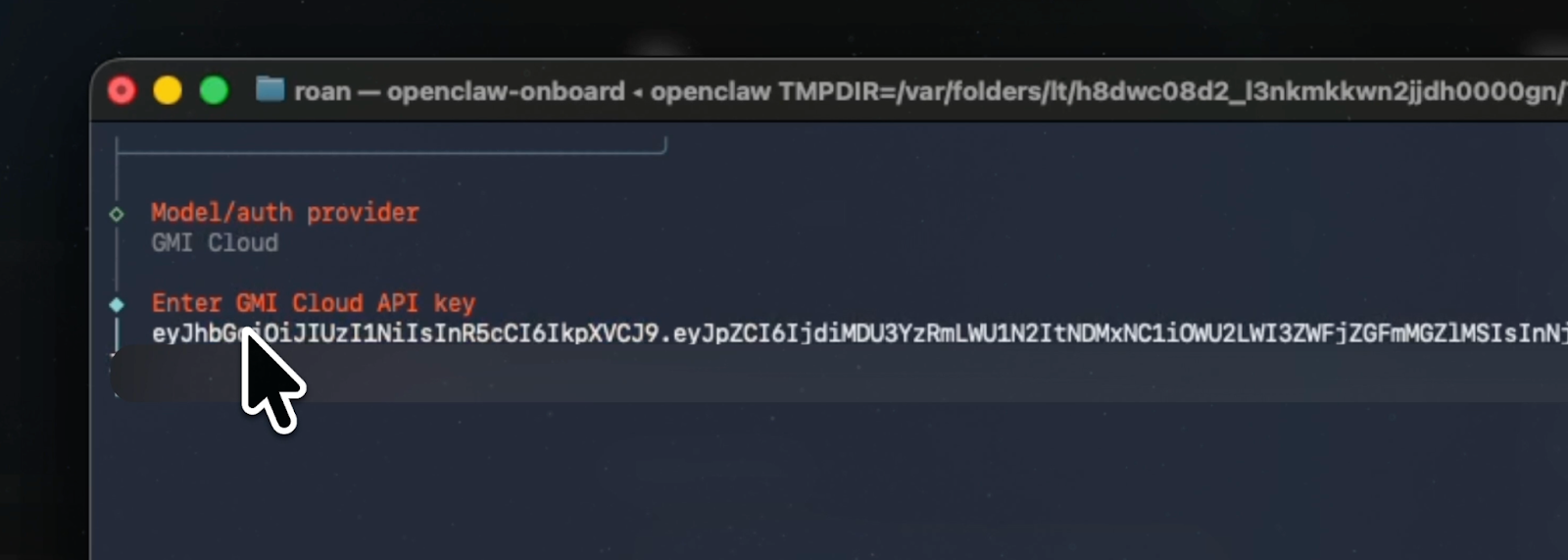
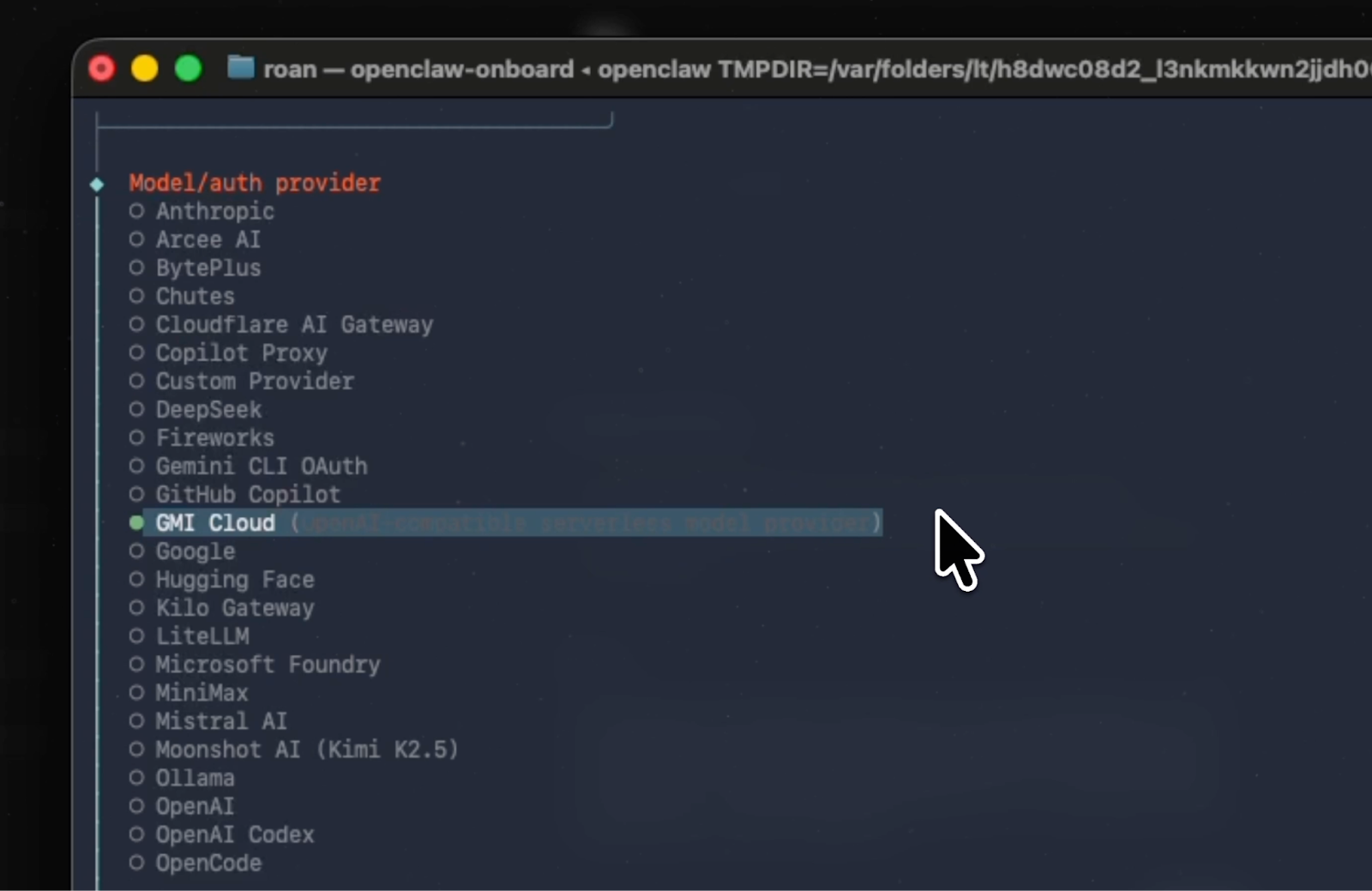
After configuration is complete, GMI will appear as an available provider inside the OpenClaw UI.
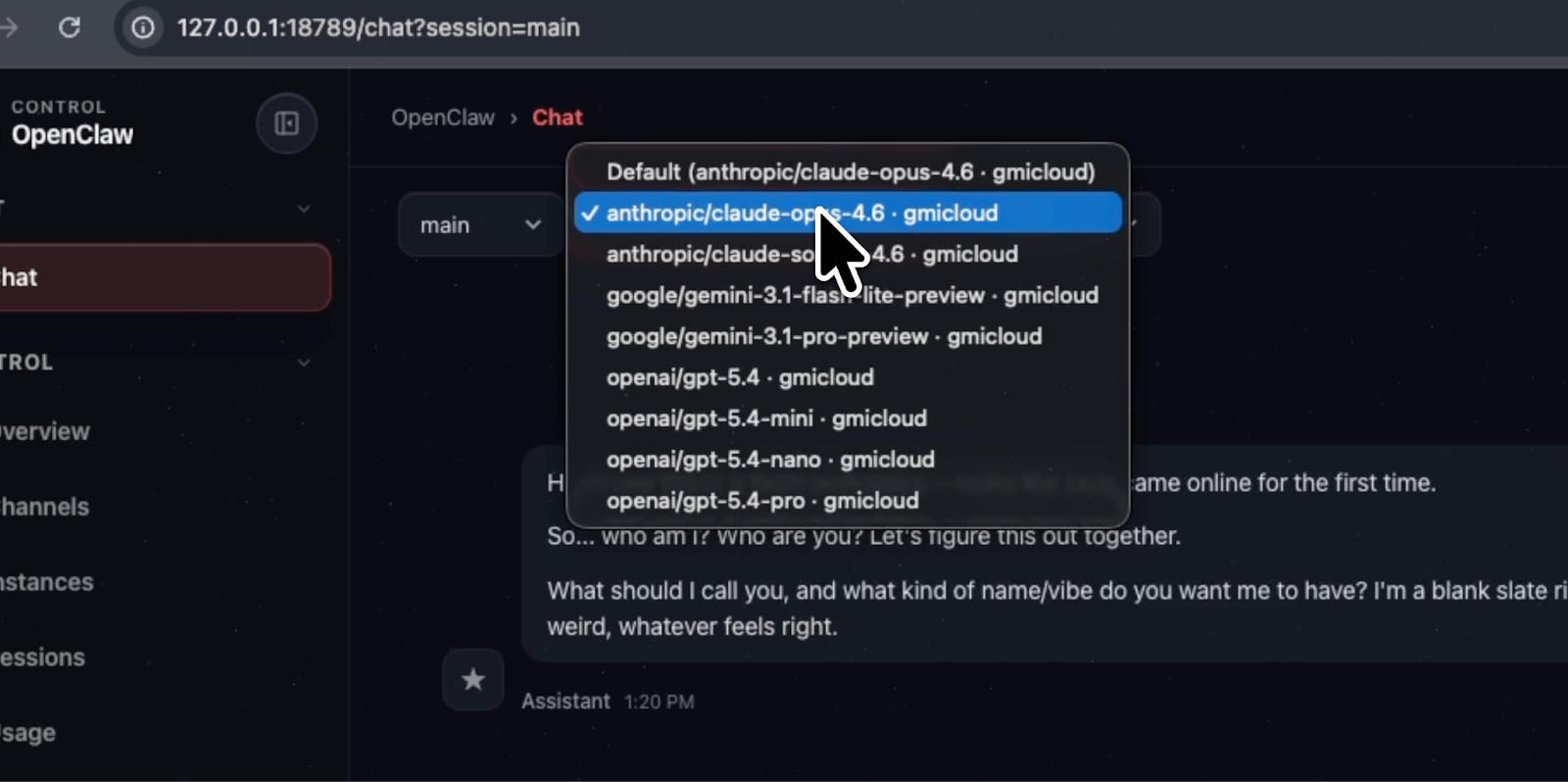
Available models inside OpenClaw
Once the plugin is active, you can select GMI models directly in the interface:
anthropic/claude-opus-4.6
anthropic/claude-sonnet-4.6
openai/gpt-5.4
openai/gpt-5.4-pro
openai/gpt-5.4-mini
openai/gpt-5.4-nano
google/gemini-3.1-pro-preview
google/gemini-3.1-flash-lite-preview
zai-org/GLM-5-FP8
zai-org/GLM-4.6
deepseek-ai/DeepSeek-V3.1
deepseek-ai/DeepSeek-V3.2
moonshotai/Kimi-K2.5
moonshotai/Kimi-K2-Thinking
moonshotai/Kimi-K2-Instruct-0905
Qwen/Qwen3-Next-80B-A3B-Instruct
Qwen/Qwen3-Coder-480B-A35B-Instruct-FP8
Qwen/Qwen3-235B-A22B-Thinking-2507-FP8
Qwen/Qwen3-32B-FP8
meta-llama/Llama-4-Scout-17B-16E-Instruct
This gives OpenClaw users direct access to leading model options through GMI, all from within the same interface they already use.
What this looks like in the UI
After installation and onboarding, GMI appears in the provider list inside OpenClaw. From there, you can browse available models and choose the one that fits your use case.
In the UI, this means:
- GMI shows up as a provider option
- model choices become available directly in OpenClaw
- those models can be used inside workflows and integrations, including tools like Telegram
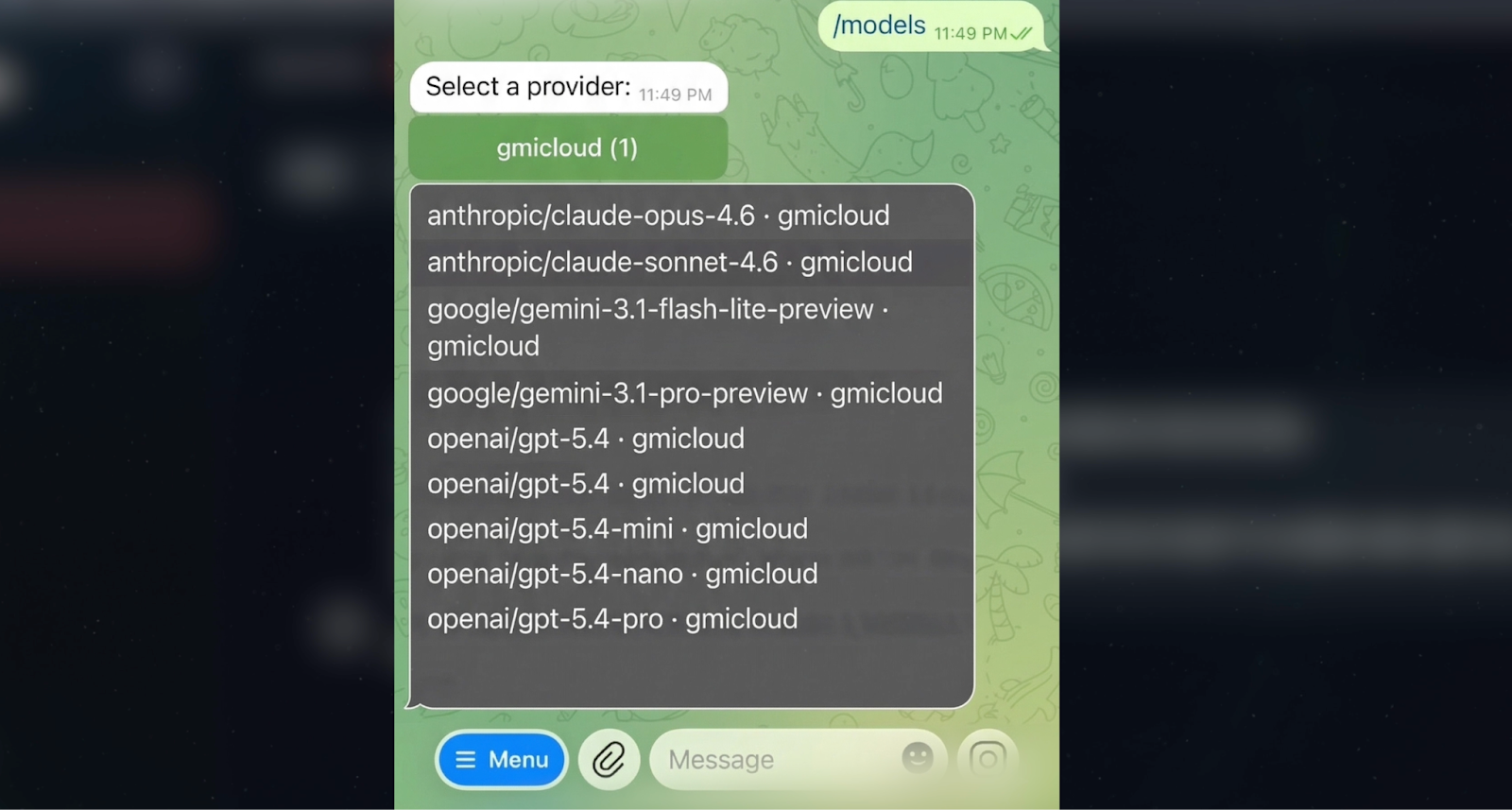
The result is a more direct connection between OpenClaw and GMI model access, without requiring a separate model selection flow outside the product.
Why this matters
For technical users, the value is straightforward. The integration reduces friction between setup and usage.
Instead of treating model access as something separate from the OpenClaw experience, the plugin brings GMI directly into the interface. That makes it easier to configure once, choose models in the UI, and use them in real workflows.
It also opens the door for broader integrations around skills, providers, and agent tooling over time.
Start using the GMI Cloud plugin
If you are already using OpenClaw, this is a fast way to bring GMI model access into your environment.
Install the plugin, configure your API key, complete onboarding, and GMI will be available directly inside the OpenClaw interface.
Get started here:
https://clawhub.ai/plugins/openclaw-gmicloud-provider
Have questions? Join our community on Discord: https://discord.gg/mbYhCJSbF6
Conclusion
The GMI Cloud plugin for OpenClaw makes GMI models available directly inside OpenClaw with a simple installation and configuration flow. Once connected, users can select models in the UI and use them in workflows and integrations right away.
We will be sharing more soon on how GMI Cloud can connect into additional tools, skills, and agent environments.
Roan Weigert
Build AI Without Limits
GMI Cloud helps you architect, deploy, optimize, and scale your AI strategies
