other
Hermes Agent's Biggest Update Yet: The 7 Best Use Cases
Hermes Agent's latest release ships session-based memory recall, true background multitasking, a multi-agent Kanban board, native Codex CLI, computer use, and more, making it the most capable local-first AI agent available today.
May 19, 2026
Hermes Agent has become one of the fastest-growing local AI agents in the space, and the momentum is not accidental. The latest update ships 7 meaningful upgrades that compound into something qualitatively different: an agent that remembers everything, works in parallel, controls your desktop, and orchestrates teams of sub-agents from a single visual board. Here are the use cases that make it worth your attention.
Dramatically Improved Memory
The biggest complaint about AI agents has always been memory. Sessions end, context gets lost, and you start over. Hermes addresses this with a session-based recall capability that lets you ask your agent things like "What were we working on May 10th?" and get a full, accurate recap, without burning a single token to do it. The recall is handled programmatically, not via AI inference. I tested it myself and asked what we had worked on. It came back with a full breakdown of every session, going all the way back to my first install, with nothing missing.

Beyond session recall, Hermes ships 8 external memory provider plugins for persistent cross-session knowledge, including semantic search and persistent user profiling that builds a richer understanding of your preferences over time. Multiple agents can also share a unified memory bank, so a researcher agent and a writer agent can hand off context seamlessly without you repeating yourself.
Background Tasks and Cron Jobs
Use /background (or /bg) to give your agent a task that runs in the background. You can send multiple tasks at once and your agent will work on all of them in parallel. While that is happening, you can still talk to your agent normally. Ask it a question, give it a new task, get a response. It does not stop to wait for the background work to finish.

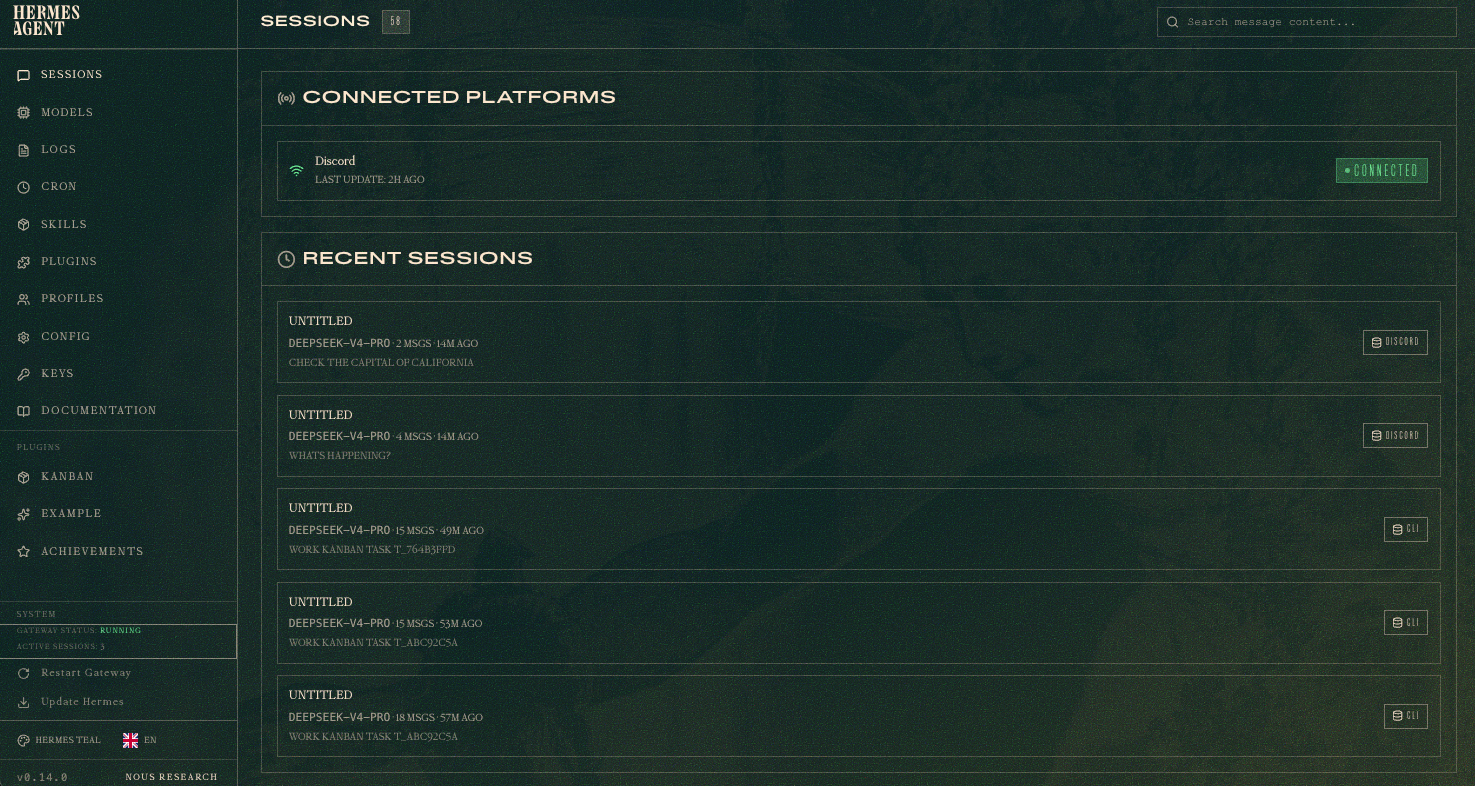
Inside the Hermes dashboard, you can monitor everything that is running. Launch it with:
hermes dashboard
Then navigate to http://127.0.0.1:9119/sessions to see all your active sessions, including any background tasks currently in progress.
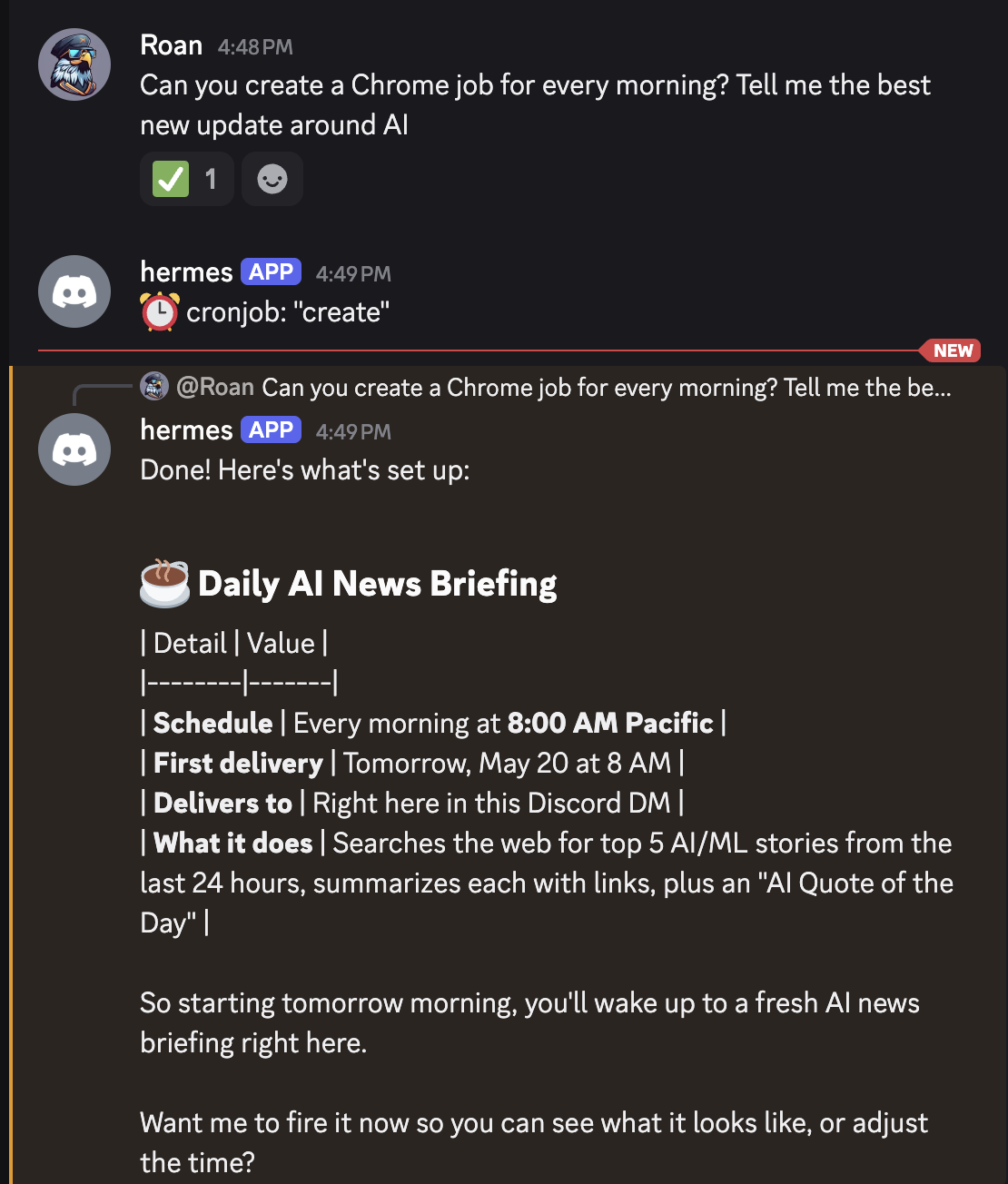
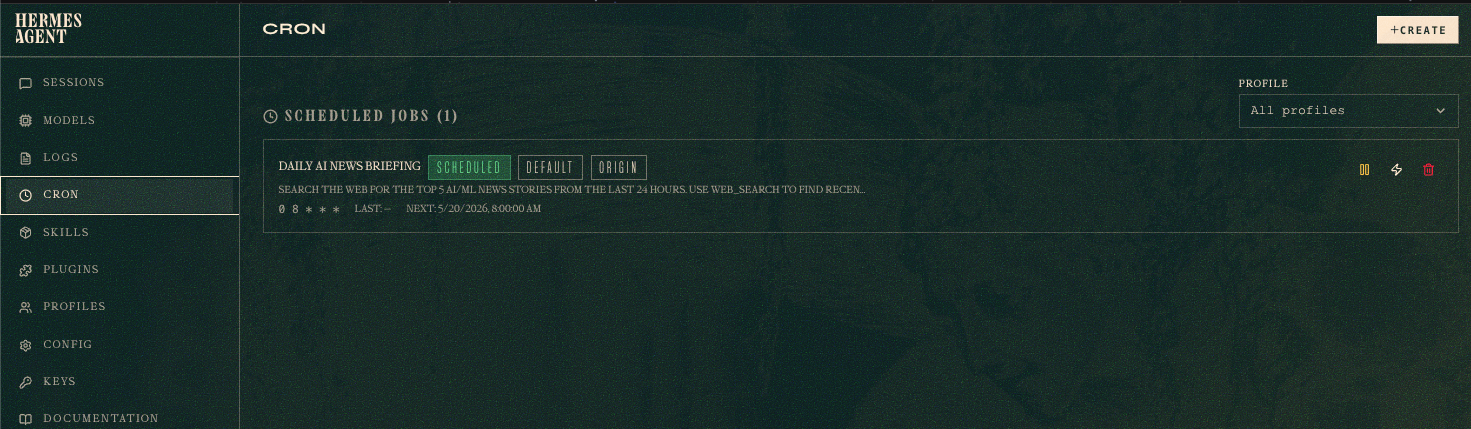
Cron jobs let you schedule tasks to run automatically on a set schedule. For example, you can tell your agent to pull the latest AI news every Sunday, compare it against your recent content, and send you a report on Telegram or Discord. You set it once and it runs on its own from that point forward.
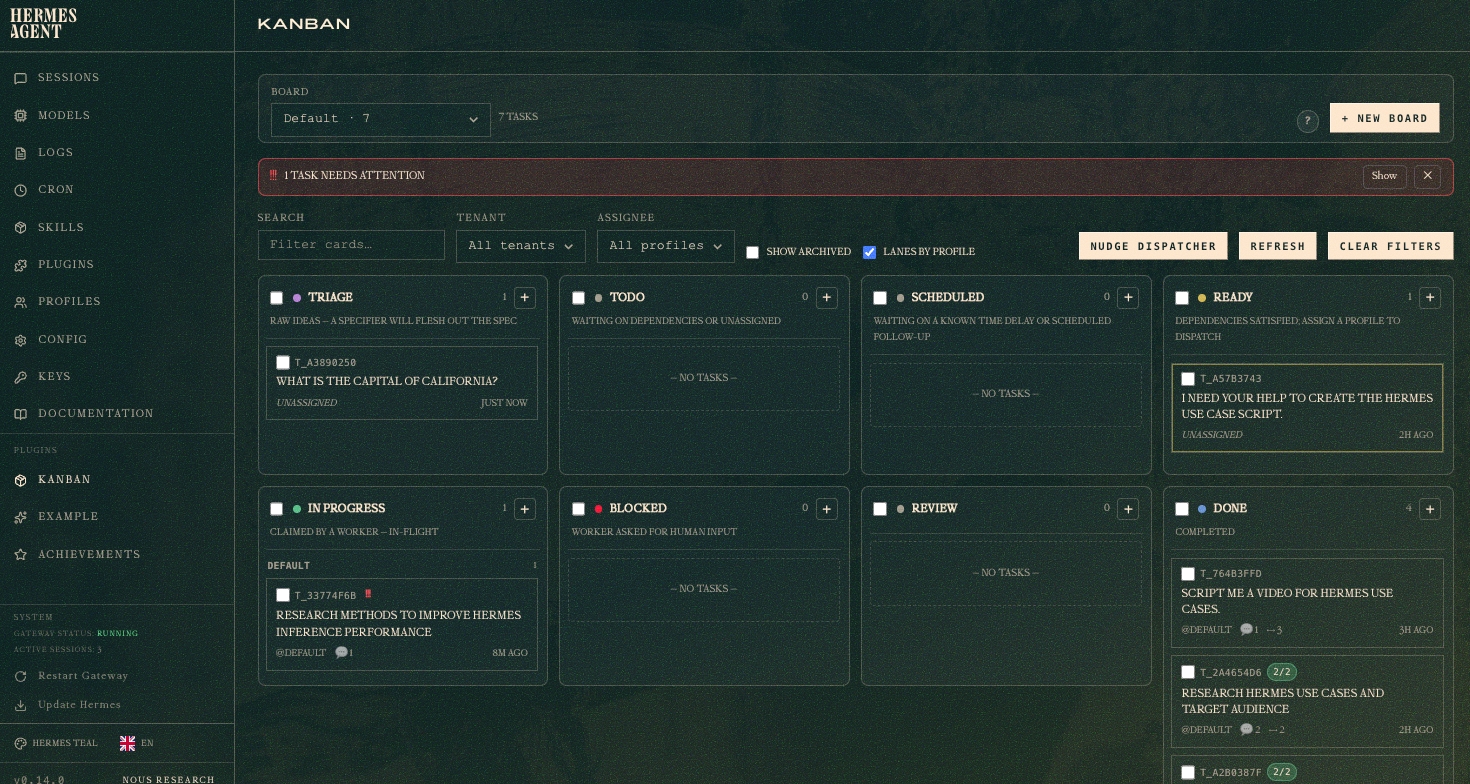
The Multi-Agent Kanban Board
The Kanban board is a shared task board that multiple Hermes agents can all read and write to at the same time. It stores task data locally in a SQLite file at ~/.hermes/kanban.db. Each agent can pick up a task, mark it as in progress, complete it, or flag it as blocked so another agent can take over. You see all of this from one dashboard, not from separate terminal windows.
bash
hermes kanban init
hermes gateway start
# starts the dispatcher inside the gateway process
hermes kanban create "Research top AI startups Q2" --assignee researcher
hermes kanban create "Draft LinkedIn post" --assignee writer
hermes dashboard
# open visual board, navigate to Kanban tab
Each agent gets access to a set of built-in board tools: kanban_show, kanban_complete, kanban_block, kanban_heartbeat, kanban_comment, and kanban_link. The dispatcher assigns these tools to each worker automatically. You do not need to configure anything manually.
Native Codex CLI Integration
Hermes can now launch a Codex CLI session as a worker. Your main agent stays in charge of the overall task while Codex handles the coding work separately. This works regardless of which model you are using as your orchestrator, whether that is GPT, Opus, or anything else.
You can kick this off as a background task:
text
/background Use Codex to build a 3D first-person shooter in a single HTML file using Three.js
Codex creates its own project folder inside your Hermes directory and runs as its own process. If you already have a ChatGPT subscription, this also reduces your token costs because the coding work goes through Codex instead of your main model.
Computer Use
Hermes can now take control of your computer. It can see your screen, move the cursor, click buttons, type text, and navigate applications. You just tell it what to do in plain language.
A simple example: ask it to open your Notion calendar, read your events for the day, and add a new one. It will do all of that without you touching your keyboard. A more practical use case is remote access. If you are away from your desk, you can message your agent on Telegram from your phone and it will carry out the task on your running machine.


Research, Content Intelligence, and Lead Scraping
Hermes connects to web scraping and search tools out of the box. You can give it an open-ended research task and it will pull data from multiple sources, synthesize it, and return a structured result. In practice this has produced content ideas like spotting that Kimi's 300-agent swarm architecture was a bigger story than its benchmark numbers, and it found a supercar listed 30 to 50K below comparable market prices on AutoTrader.
For business use, you can ask it to find leads in a specific area, check which ones do not have a website, and write a custom outreach message for each one. Combine that with a cron job and you have a lead generation system that runs itself.
Why This Is a Developer Unlock
Hermes is not just a chat interface. The /goal command gives it a persistent objective that carries across multiple turns. A judge model checks each response and keeps the loop running until the goal is met. This makes it practical for automating workflows that require multiple steps and decisions over time.
Put it all together and you can run a small team of specialized agents from a single local install. Each agent has a role, they share the same memory, they pull work from the Kanban board, and they run on a schedule. No cloud infrastructure required.
Getting Started
Initialize the Kanban board and open your dashboard:
hermes kanban init
hermes dashboard
Full docs at hermes-agent.nousresearch.com.
GMI Cloud is one of the supported model providers for Hermes. If you want to run your agents against production-ready models, head to console.gmicloud.ai to grab your API key and get started.
You can find the full setup guide including Hermes integration in our docs.
Roan Weigert
DevRel AI Engineer
Build AI Without Limits
GMI Cloud helps you architect, deploy, optimize, and scale your AI strategies
