Stop picking models. Start routing.
KV-cache-aware model routing. GMI Router selects the best-fit model for each request based on the task and your quality–cost objective, with no judge model in the loop and <200ms routing time.
ROUTED BY GMI'S OWN TRAINED MODEL
YOUR PROMPT, RUN VERBATIM
<200ms
Routing time · no judge model
KV-cache
Preserved across turns
Better answers. Lower cost. Proven.
In experiments run by the GMI team, routing each task to its best-fit model beats relying on one fixed frontier model for every prompt.
+2.4 pts
Higher quality than only using GPT-5.5, Quality Mode
−28%
Lower cost per task than GPT-5.5, Quality Mode
−84%
Lower cost per task than Opus 4.8, Balanced Mode
Based on GMI's internal benchmark across 8 task categories, comparing models head-to-head. Routing runs within your allowed pool. Quality is a benchmark score; cost is relative to fixed-model baselines. Directional; not independently audited.
Quality vs cost
UP-LEFT IS BETTER ↖Always GPT-5.5
82.5% · 1.00× cost
Always Opus 4.8
81.3% · 1.38× cost
GMI Router · Quality
84.9% · 0.72× cost
GMI Router · Balanced
81.3% · 0.22× cost
COST PER TASK VS only using frontier model
Benchmark score
Benchmark results are based on GMI internal evaluation and may vary by workload, prompt length, allowed model pool, and routing settings.
One model, every prompt. That's the tax you pay.
Frontier models are brilliant, and expensive. Send a one-line prompt to your biggest model, and you burn budget. Send a hard reasoning task to a weak one, and you ship worse answers. Choosing by hand, request by request, doesn't scale.
Fixed single model
- Every prompt hits the same model
- You overpay on the easy requests
- You underperform on the hard ones
- Quality vs. spend is a manual guess
GMI Router
ROUTED- Reads the task behind every prompt
- Routes each request to its best-fit model
- Saves your strongest models for hard tasks
- Uses cost-efficient models where quality holds
~$0.036 saved vs Claude Opus 4.8 on this prompt
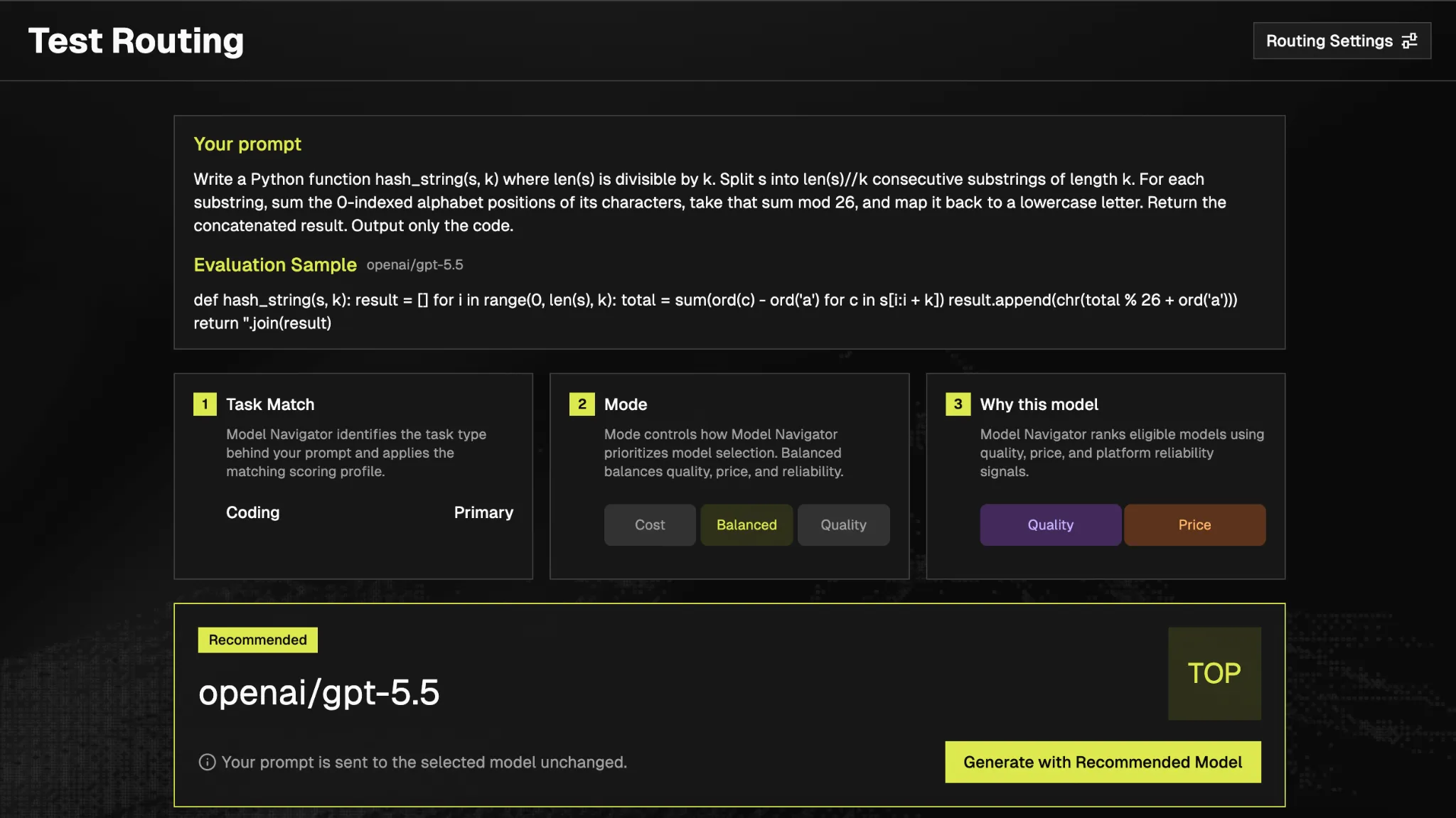

No model wins every task. So don't bet on one.
Different models are genuinely better at different workloads. Switch the view and watch the leader change, which is exactly why routing each prompt to its best-fit model beats committing to one.
A selection of the models we currently disclose; more are benchmarked internally but not yet published. Each carries a quality score and a cost score per task category.
Quality scores come from GMI's internal benchmark bank; cost scores from an internal auto-eval. Figures are directional and shown for illustration, raw sources and scoring internals aren't disclosed, and cost does not imply a fixed price, which depends on your prompt.
Read the prompt. Route the model.
You just saw it — no model wins everything. Here's how Router picks the winner for each request: no judge model in the loop, and <200ms routing time.
YOUR REQUEST, RUN VERBATIM
REQUEST
"Refactor this Python module and add tests."
1 PROMPT IN, 1 ANSWER OUT
01
UNDERSTAND
TASK TYPE DETECTED
02
EVALUATE
QUALITY × COST
03
SELECT
YOUR ALLOWED POOL
ROUTED MODEL
openai/gpt-5.5
<200MS ROUTING TIME
Understand
Identify the task and request requirements.
Evaluate
Evaluate eligible models based on the routing objective.
Select
Select the best-fit model within the allowed pool.
Route
Send the request to the selected model.
Cost — lower-cost models, quality kept acceptable.
Balanced — quality and price in balance.
Quality — strongest models for high-value tasks.
One endpoint. Production routing.
Send requests through the dedicated GMI Router API. It applies your workspace routing settings, picks the best-fit model, and returns the result with full routing metadata.
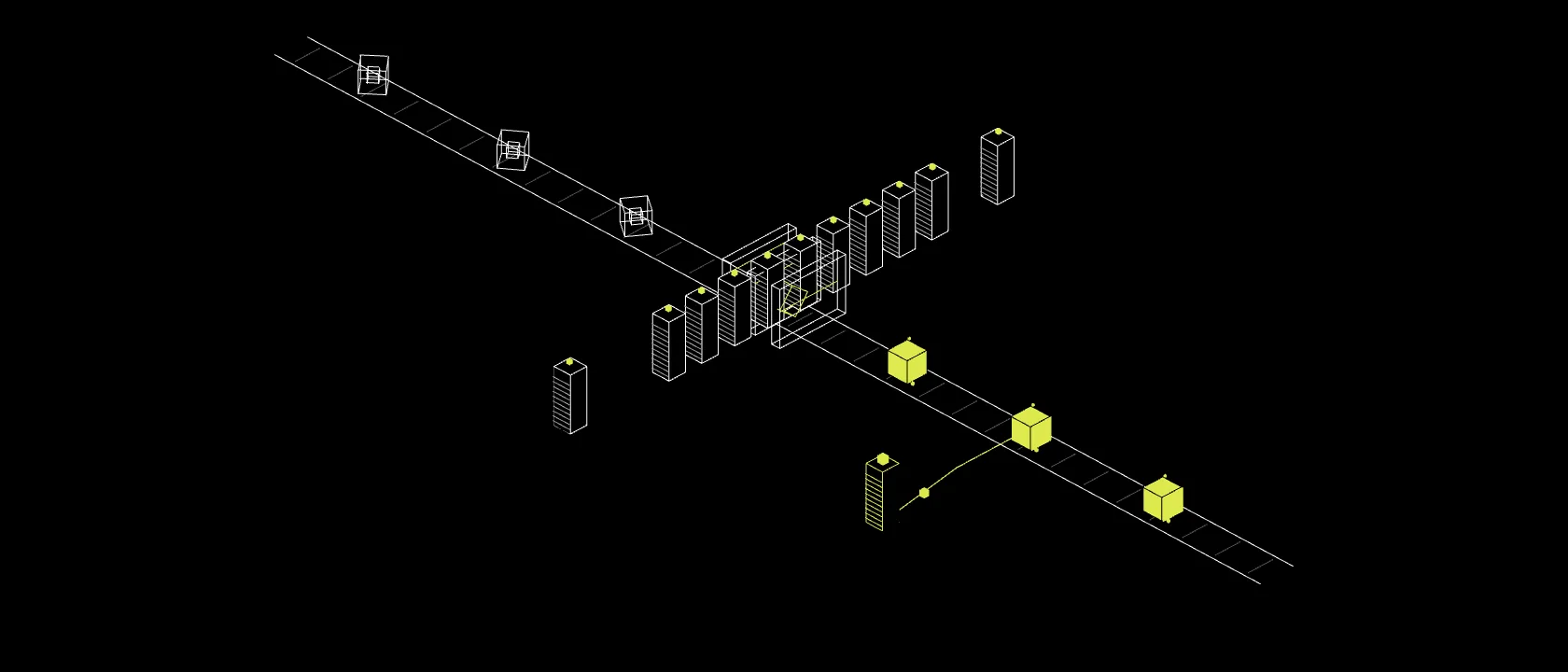
Built for production workflows
- Dedicated routing endpoint
- Applies your workspace routing settings
- Selected model returned in routing metadata
- Authenticated with your GMI API key
Route in production. Reliability.
Routing quality is only half the story. GMI Router decides in under 200ms before your request reaches the selected model, with the workspace controls production teams expect.
<200ms routing time
No judge model in the loop
Workspace-level model controls
KV-cache-aware serving for supported workloads
Full production metrics — routing latency, throughput, and error rate under load — are being benchmarked and will be published here.
Stop overpaying. Start routing.
Cut unnecessary model spend while keeping benchmark-backed quality across every real AI workload. Model recommendation and routing are free — for a limited time.