GPU utilization myths: What teams misunderstand about training efficiency
January 09, 2026

This article debunks common myths around GPU utilization in AI training and explains why high utilization alone is not a reliable indicator of training efficiency.
What you’ll learn:
- Why high GPU utilization does not automatically mean efficient model training
- When low GPU utilization is normal—and sometimes beneficial
- How scaling with more GPUs can reduce efficiency instead of improving it
- Why cost efficiency depends on outcomes, not utilization percentages
- The critical role data pipelines play in GPU performance
- Which metrics teams should track instead to optimize training efficiency
- How modern cloud platforms help teams move beyond utilization-focused thinking
GPU utilization is one of the most frequently cited metrics in AI training – and one of the most misunderstood. Teams often treat high utilization as proof that their training pipelines are efficient and low utilization as a sign of failure.
In practice, neither assumption holds up. Training efficiency is shaped by far more than how busy a GPU appears at any given moment, and optimizing for utilization alone can lead teams to make decisions that slow progress, inflate costs or mask deeper bottlenecks.
In this article we break down some of the most common myths around GPU utilization in training workflows, explain why they persist, and outline what teams should actually measure when optimizing large-scale AI training.
So let’s see these myths:
1. If GPU utilization is high, training is efficient
High GPU utilization looks reassuring. Dashboards showing GPUs running at 95–100% suggest that expensive hardware is being fully exploited. But utilization only indicates that the GPU is active – not that it’s being used effectively.
A GPU can be fully utilized while executing suboptimal kernels, waiting on slow data pipelines or repeatedly recomputing work due to poor batching strategies. In these cases, the GPU is busy, but the training job is still inefficient. Step time may be long, convergence may be slow, and total training cost may be higher than necessary.
True training efficiency depends on how quickly a model converges to the desired quality, not how busy the hardware appears along the way. High utilization with poor throughput or slow convergence is a warning sign, not a success metric.
2. Low utilization means wasted GPUs
Low utilization is often interpreted as idle hardware and wasted budget. While prolonged idle time is certainly a problem, temporary dips in utilization are not inherently bad – and sometimes unavoidable.
Training pipelines include stages where GPUs legitimately wait: synchronization barriers in distributed training, checkpointing, evaluation runs or data reshuffling. These phases can reduce instantaneous utilization without harming overall efficiency.
In some cases, deliberately underutilizing GPUs can improve end-to-end performance. Smaller batch sizes may reduce utilization but improve convergence or stability. Asynchronous training strategies may trade utilization for faster iteration. Optimizing solely to eliminate every utilization dip can backfire by degrading training dynamics.
3. More GPUs automatically increase efficiency
Adding GPUs is one of the fastest ways to increase compute capacity – but it does not guarantee better efficiency. Distributed training introduces communication overhead, synchronization costs and coordination complexity that can erode gains from parallelism.
As GPU counts rise, scaling efficiency often drops. Gradient synchronization, parameter updates and attention tensor exchanges consume increasing portions of each step. At a certain point, adding more GPUs increases cost faster than it reduces training time.
Efficient scaling depends on interconnect bandwidth, topology-aware scheduling and algorithmic choices such as gradient accumulation or model parallelism. Without these, teams may see high utilization across many GPUs but little improvement in wall-clock training time.
4. Utilization is the best metric for cost optimization
Utilization is easy to measure, which is why it’s often used as a proxy for cost efficiency. But it’s a blunt instrument. What matters financially is not utilization percentage but cost per useful outcome.
For training workloads, that outcome might be cost per epoch, cost per training run or cost per accuracy improvement. A job running at 70% utilization that completes in half the time may be far more cost-effective than one running at 95% utilization but taking twice as long.
Similarly, short-lived spikes in utilization can be misleading. A training job that thrashes GPUs during compute phases but stalls during data loading can appear efficient in snapshots while wasting hours overall.
5. Data pipelines don’t affect GPU utilization much
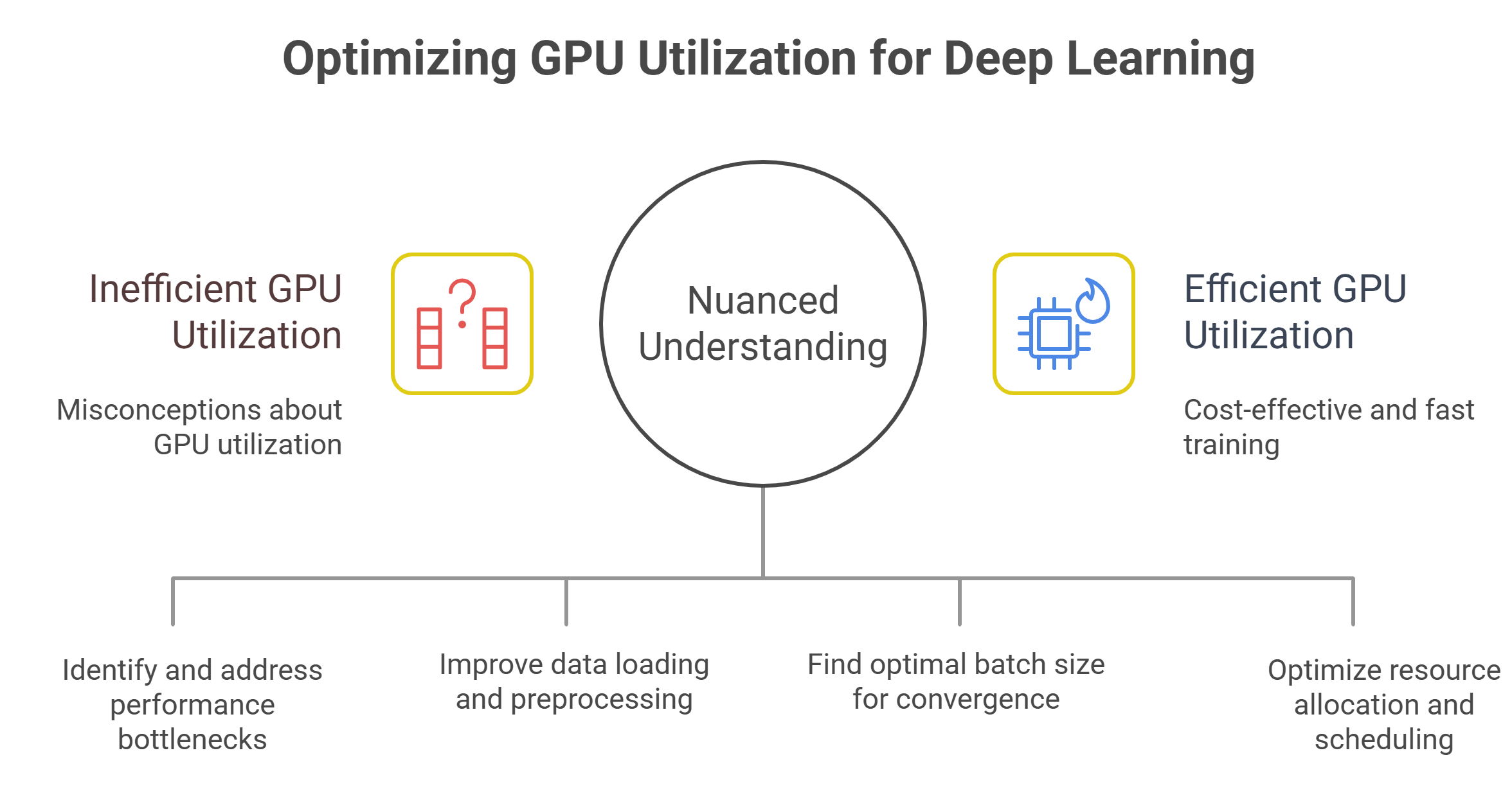
In reality, data pipelines are one of the biggest drivers of poor training efficiency. GPUs are exceptionally fast at computation, which means they are often starved by slow input pipelines.
Bottlenecks in data loading, preprocessing or augmentation can cause GPUs to idle between steps even when utilization metrics appear healthy on average. These stalls compound over long training runs, extending total time to completion.
Optimizing data pipelines – through prefetching, caching, parallel I/O and locality-aware scheduling – often delivers larger efficiency gains than tuning model code or kernel performance. Teams that focus exclusively on GPU metrics miss this leverage point entirely.
6. Maximizing batch size always improves efficiency
Larger batch sizes typically increase GPU utilization by amortizing overhead across more samples. This can improve throughput, but it also changes the optimization landscape.
Very large batches may require learning rate adjustments, longer training schedules or additional regularization to achieve the same model quality. In some cases, they degrade generalization or destabilize training altogether.
Efficiency must be evaluated holistically. A configuration that yields high throughput but requires more epochs to converge – or converges to a worse solution – may ultimately be less efficient than a lower-utilization setup that reaches the target faster.
7. Utilization problems are always a hardware issue
When utilization drops, teams often blame GPU performance, drivers or instance types. While hardware issues do occur, most utilization problems originate in software and orchestration layers.
Poor job scheduling, suboptimal resource allocation, contention between workloads and lack of workload isolation frequently reduce effective utilization. Training jobs that share clusters with inference or experimentation workloads may suffer unpredictable slowdowns even when GPUs appear busy.
This is why infrastructure-level scheduling and observability matter. Without visibility into queueing, contention and job placement, teams misattribute inefficiencies to the wrong causes.
What teams should measure instead
Rather than optimizing for utilization alone, teams should focus on metrics that reflect real training efficiency:
- time-to-train for a target quality level
- throughput per dollar spent
- scaling efficiency as GPU count increases
- convergence stability under different configurations
- utilization variance over time, not just averages
These metrics reveal whether GPUs are contributing meaningfully to progress rather than simply staying busy.
How modern GPU cloud platforms change the equation
Cloud-based training environments make it easier to move beyond utilization myths by exposing richer telemetry and more flexible scheduling options. Instead of manually managing static clusters, teams can experiment with different configurations, scale dynamically and isolate workloads based on behavior.
Advanced scheduling systems reduce idle time caused by resource contention and allow training jobs to run when data pipelines, networking and storage are ready to support them. This coordination improves effective utilization without forcing artificial constraints on model design or batch sizes.
Crucially, cloud platforms also enable teams to right-size training runs. Rather than overprovisioning GPUs to chase utilization targets, teams can allocate just enough compute to meet performance goals and adjust as models evolve.
Rethinking efficiency as an outcome, not a metric
The persistence of GPU utilization myths reflects how tempting it is to reduce complex systems to a single number. But training efficiency is an emergent property of models, data, infrastructure and workflows interacting over time.
High utilization can coexist with inefficiency. Lower utilization can still deliver faster results. The goal is not to keep GPUs busy at all costs, but to ensure that every GPU hour contributes meaningfully to progress.
Teams that internalize this distinction build training systems that scale more predictably, cost less to operate and deliver better models faster. Those that don’t risk optimizing the wrong metric – and paying for it in time, money and missed opportunities.
Frequently Asked Questions about GPU Utilization and Training Efficiency
1. Does high GPU utilization always mean training is efficient?
No, high GPU utilization only shows that the GPU is busy, not that training is effective. A model can run at near-maximum utilization while still converging slowly or wasting compute due to poor batching, slow data pipelines, or inefficient kernels.
2. Is low GPU utilization always a sign of wasted resources?
Not necessarily, because some drops in utilization are expected during synchronization, evaluation, or checkpointing. In certain cases, slightly lower utilization can even lead to faster convergence and better overall training outcomes.
3. Do more GPUs automatically make training faster and more efficient?
Adding more GPUs increases compute capacity but also introduces communication and synchronization overhead. Without proper scaling strategies, more GPUs can raise costs without significantly reducing total training time.
4. Why is GPU utilization not the best metric for cost optimization?
Utilization alone does not reflect how much useful progress is being made. What matters more is how quickly and cost-effectively the model reaches the desired quality, even if utilization is lower on average.
5. How do data pipelines affect GPU utilization and efficiency?
Slow data loading or preprocessing can cause GPUs to wait between steps, extending training time. Improving data pipelines often delivers larger efficiency gains than focusing only on GPU performance metrics.
Build AI Without Limits
GMI Cloud helps you architect, deploy, optimize, and scale your AI strategies
FAQ
No, high GPU utilization only shows that the GPU is busy, not that training is effective. A model can run at near-maximum utilization while still converging slowly or wasting compute due to poor batching, slow data pipelines, or inefficient kernels.
