
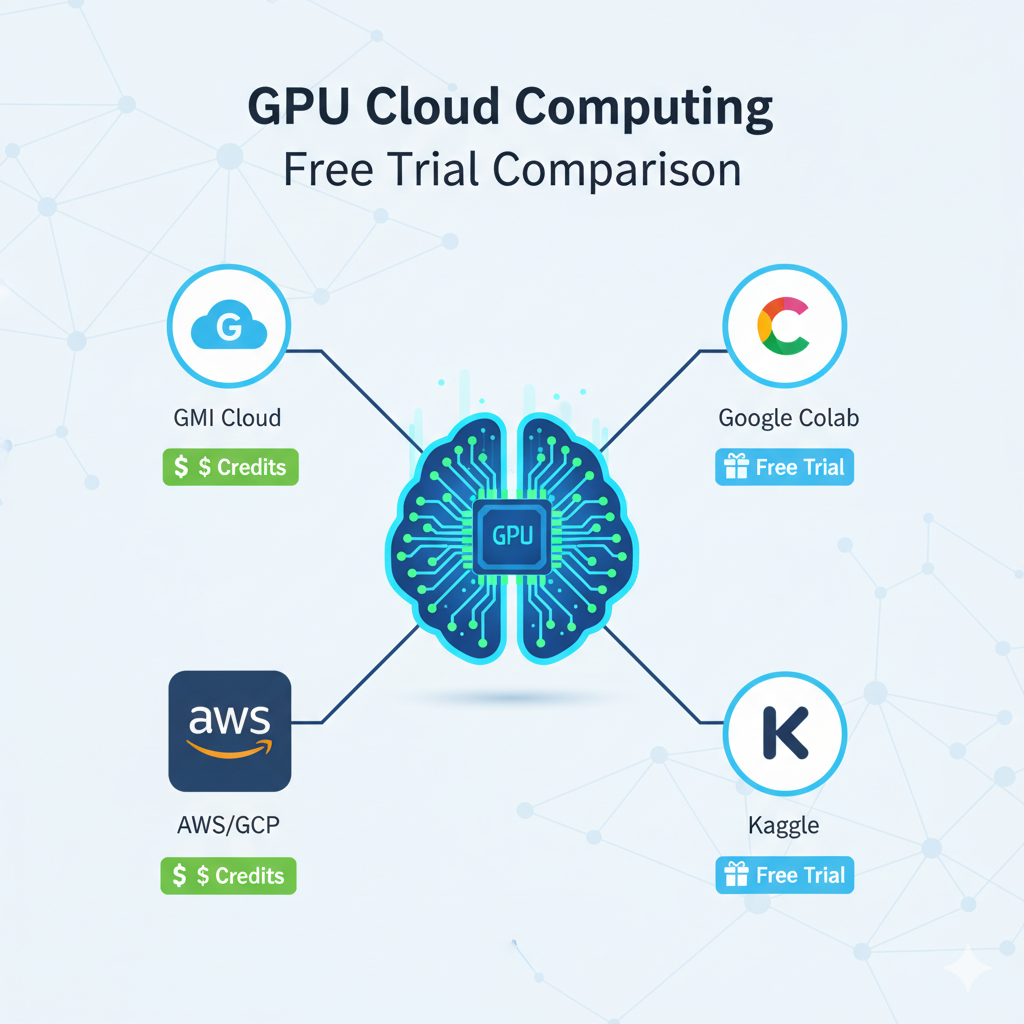
Several platforms offer free trials or credits for GPU cloud computing. Google Colab provides a basic free tier for experimentation, while specialized providers like GMI Cloud offer specific credits for startups and students to access high-performance online GPU for deep learning resources such as NVIDIA H100 and H200 GPUs.
For teams needing to test production-level hardware, finding the right trial is key. Below is a comparison of common free trials and credits available for AI development.
What is the best free GPU trial for online deep learning?
The best free GPU trial depends on your goal. For learning and small experiments, Google Colab or Kaggle are ideal. For benchmarking production workloads on GPUs like H100 or H200, startup credits from hyperscalers or specialized providers offer significantly more practical value.
Quick Comparison: Free GPU Trials & Credits
Provider
Offer Type
Available GPUs (in Trial)
Credit Amount / Time Limit
Requires Credit Card?
Startup/Student Credits
H100, A100
Varies (e.g., ~$100) [Pending Verification]
Yes
Google Colab
Free Tier
K80, T4 (Shared, Variable)
Unlimited (with usage time-outs)
No
Google Cloud (GCP)
New Account Credits
H100, A100, L4
$300 [Pending Verification]
Yes
Amazon (AWS)
Free Tier (SageMaker)
ml.t-family (CPU/low-GPU)
250 hours/month (for 2 months)
Yes
Kaggle
Free Kernel Access
T4, P100 (Shared)
30 hours/week (quota)
No
How to Evaluate Free GPU Offers
Not all "free" offers provide the same value, especially for serious online gpu for deep learning tasks. When evaluating a trial, consider these factors:
- Hardware Accessibility: Does the trial give you access to the hardware you'll actually use? A free T4 (like in Colab) is useful for learning, but its performance is vastly different from an H100 or A100 needed for training large models.
Why does GPU hardware type matter when choosing a free trial?
GPU type directly impacts training speed, scalability, and cost efficiency. A shared T4 or K80 is suitable for experimentation, but serious deep learning workloads require high-performance GPUs like the H100 or A100 to accurately benchmark production-level performance.
- Credit Value vs. Time Limit: A large $300 credit (like GCP's) seems generous, but it often expires in 90 days. This forces you to test quickly. A smaller, targeted credit on a platform with lower per-second billing might provide more practical value.
Are large cloud credits always better than smaller targeted GPU credits?
Not necessarily. Large credits such as $300 offers may expire quickly and can be wasted on setup complexity. Smaller, targeted credits on platforms with transparent billing and lower per-second costs may provide more practical and efficient evaluation value.
- Queues and Instant Access: The biggest drawback of free tiers (like Colab or Kaggle) is the lack of guaranteed access. You may face long queues or have your session terminated. For development, this is inefficient. Specialized platforms often provide instant access (e.g., <60-second boot times [Pending Verification]) as part of their core service, which may extend to their trial programs.
- Post-Trial Costs: What happens when the trial ends? Look for platforms with transparent, pay-as-you-go pricing, ideally with per-second billing. This ensures you only pay for the compute time you use, which is critical for managing online gpu for deep learning budgets.
Types of Free GPU Access for AI
What is the difference between free GPU tiers and specialized GPU cloud providers?
Free tiers like Colab and Kaggle provide shared, limited resources suitable for learning. Specialized GPU providers focus on production-grade hardware with dedicated access, faster boot times, and scalable infrastructure designed for serious AI workloads.
1. Free Tiers for Experimentation (Google Colab & Kaggle)
These platforms are the best starting point for students and hobbyists. They require no credit card and are excellent for learning or running small experiments.
- Pros: Truly free, easy to get started.
- Cons: Resources are shared and not guaranteed. You cannot run long training jobs, and the GPUs available are often older generations.
2. New Account Credits (AWS, GCP, Azure)
The "hyperscalers" attract new users by offering a fixed dollar credit ($300 is common) for signing up.
- Pros: Lets you test their entire ecosystem, including powerful GPUs like the H100.
- Cons: Credits expire quickly (usually 90 days), and the platforms can be very complex to configure, leading to wasted credits on setup alone.
3. Specialized Provider Credits (GMI Cloud and others)
These companies focus specifically on providing online gpu for deep learning compute. Their trials are often targeted at startups, researchers, or open-source projects.
- Pros: These trials, like the GMI Cloud Startup Program [Pending Verification - Check GMI partners page], are designed to let you test the exact high-performance hardware (H100/A100) you'd use in production. They often feature simple setup and no queues.
- Cons: Almost always requires a credit card and is intended for evaluation, not as a permanently free service.
Choosing the Right Free Trial for Your Deep Learning Needs
To find the best online gpu for deep learning trial, match the offer to your goal.
- If you are learning: Start with Google Colab or Kaggle.
- If you are a startup or researcher: An new account credit on a hyperscaler or a targeted startup credit from a specialized provider like GMI Cloud is far more valuable. This allows you to benchmark your models on production-grade hardware (like the H100), validate your costs with per-second billing, and ensure you can scale without friction when your trial ends.
Comparing Cloud GPU Pricing: Credits vs. Pay-As-You-Go
Understanding the two main pricing models is key to managing your budget.
- Free Credits & Reserved Instances: Hyperscalers use free credits to onboard you. After the trial, their model encourages 1-3 year "reserved instance" commitments to get discounts. This is risky for startups with uncertain workloads.
- Flexible Pay-As-You-Go: This model offers a straightforward hourly rate with no commitment. It's ideal for developers who need flexibility or have intermittent, high-intensity workloads.
For teams that prioritize flexibility and transparent costs, a specialized provider is often the best value gpu solution. GMI Cloud, for instance, operates on a flexible, pay-as-you-go model. This structure allows users to access powerful hardware like the NVIDIA H200 and avoid large upfront costs or long-term contracts.
Users are billed at a clear hourly rate, such as $3.50 per GPU-hour for bare-metal H200 or $3.35 per GPU-hour for a container. This cost-efficient and high-performance solution is designed to reduce training expenses and speed up model development.
Should startups rely on free credits or switch to pay-as-you-go GPU pricing?
Free credits are ideal for early experimentation and prototyping. However, once credits expire, flexible pay-as-you-go pricing often provides better long-term cost control, especially for startups with variable or high-intensity deep learning workloads.
How to Secure GPU Rental for Startups
If you're an AI startup looking for compute, follow this two-step strategy:
- Exhaust Free Credits First: Apply for every startup program you qualify for (like AWS Activate or Google for Startups). This is ideal for in-itial R&D and building a prototype.
- Move to a Specialized Cheap Cloud GPU Provider: Once your credits run out, moving to a hyperscaler's standard on-demand rates can be costly. Specialized providers like GMI Cloud offer a more cost-efficient path to scale. GMI provides instant access to dedicated H100 and H200 GPUs, allowing startups to scale workloads immediately without procurement delays or vendor lock-in.
Frequently Asked Questions (FAQ)
- Which cloud GPU provider offers a completely free tier?
Google Colab and Kaggle offer completely free tiers for GPU access. However, these are shared environments with significant limitations on session time, GPU type, and memory, making them unsuitable for large-scale training.
Truly "free" H100 or A100 access is rare. The most common way is through new account credits (e.g., Google Cloud's $300 credit) or specialized startup/research programs, such as those offered by GMI Cloud, which are designed to provide trial access to this specific hardware.
- How do I apply for GMI Cloud's startup or student credits?
GMI Cloud offers special programs for startups, researchers, and students. To apply, you typically need to visit the GMI Cloud website and look for their "Startup Program" or "Partners" page to submit an application detailing your project or organization. [Pending Verification - Path: Check the GMI Cloud official partners or signup page for 'startup' or 'education' links.]
- Do I need a credit card to get free GPU trials?
For most high-performance trials (AWS, GCP, GMI Cloud), yes. A credit card is required for identity verification and to handle charges if you exceed your trial credits. The primary exceptions are educational platforms like Google Colab and Kaggle.
- What is the best online gpu for deep learning platform for beginners?
For absolute beginners, Google Colab is the easiest and most cost-effective (free) way to start writing code and running models on a real GPU.
Build AI Without Limits
GMI Cloud helps you architect, deploy, optimize, and scale your AI strategies
FAQ
Google Colab and Kaggle offer completely free tiers for GPU access. However, these are shared environments with significant limitations on session time, GPU type, and memory, making them unsuitable for large-scale training.
